Skip to content

Coming soon — the restaurant revolution

Created in Switzerland. For Switzerland.

More time for guests. A better day for your team.

TableDjin is the restaurant operating system created in Switzerland: clearer orders, smoother handovers and more room for personal service. Coming soon.

Gasthaus SonneTisch 12 · im Gesprächverbunden · 0:52DjinKarte

Gast 1Sie · liveYes,exactly.

Stopp0:07

Mikrofon an — nimmt auf · endet in 18 s

Bestellung des Tisches· neu oben

  • Rösti mit Speck und Spiegelei– Ohne SpeckZuletztNotiertGast 1CHF 24.50
  • Rösti mit Speck und SpiegeleiBestätigtGast 1CHF 24.50

2 Positionen · Tisch 12

CHF 49.00
Pass19:34Küche74 Gedecke

NEU (3)

T03#12460:30

Ziel 14 Min

ALLERGEN: Nüsse

T21#12480:10

Ziel 14 Min

T12#12450:08

Anna · 4 Gäste · Ziel 16 Min

2. Gang

IN ARBEIT (3)

T04#124115:40

Nadia · 2 Gäste · Ziel 12 Min

T01#12427:05

Luca · Ziel 14 Min

T23#12470:05

FERTIG (2)

T06#12442:10
T20#12430:40

Gaststube

4 Gäste · seit 31 Minuten
12 Gäste · 1 h 04 · gaststubeCHF 78.50
2frei · gaststube
31 Anfragen3 Gäste · 22 Min · gaststubeCHF 41.00
4reserviert · gaststube
5reinigen · gaststube
62 fertig2 Gäste · 48 Min · gaststubeCHF 63.00
8frei · gaststube
121 Anfragen1 fertig4 Gäste · 31 Min · gaststubeCHF 154.50
Neue Bestellung
  • Rösti mit Speck und Spiegelei– Ohne Speck
Sprachbestellung · bestätigt von Anna

TableDjin Voice OrderingIncluded in every plan

Speak your order. Keep control of every detail.

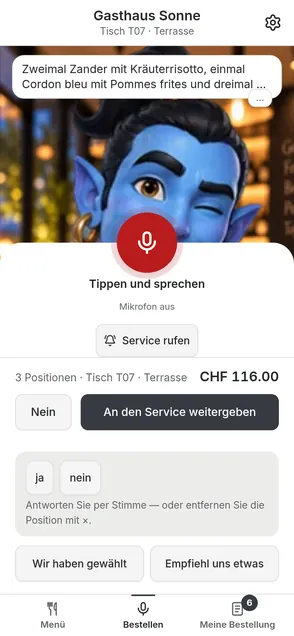
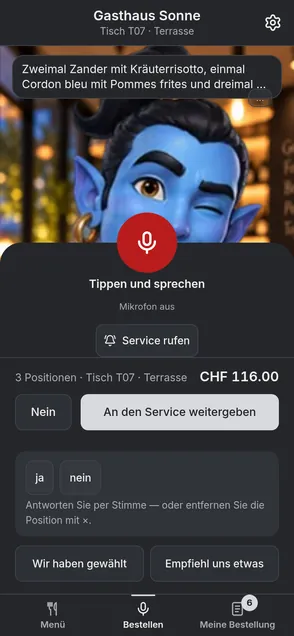
The guest calls TableDjin; the Djin greets the table and asks. Nobody speaks until the guest presses “Tippen und sprechen” — only then is the microphone open. What was understood appears as an editable card, and nothing is handed over before the guest confirms.

Included in the base package — no surcharge, no module

Gasthaus SonneTisch 12 · im Gesprächverbunden · 0:04DjinKarte

TableDjinGrüezi!HaveyoualreadychosenormayIrecommendsomething?

Tippen zum Unterbrechen

Mikrofon aus · TableDjin spricht

Wir haben gewähltEmpfiehl uns etwas

Bestellung des Tisches· neu oben

Noch nichts notiert. Sagen Sie zum Beispiel: «Zwei Rösti, eine ohne Speck.»

0 Positionen · Tisch 12

CHF 0.00

Tippen zum Unterbrechen

Seconds later

The same order, without anyone typing it.

In the kitchen
Pass19:34Küche74 Gedecke

NEU (3)

T03#12460:30

Ziel 14 Min

ALLERGEN: Nüsse

T21#12480:10

Ziel 14 Min

T12#12450:08

Anna · 4 Gäste · Ziel 16 Min

2. Gang

IN ARBEIT (3)

T04#124115:40

Nadia · 2 Gäste · Ziel 12 Min

T01#12427:05

Luca · Ziel 14 Min

T23#12470:05

FERTIG (2)

T06#12442:10
T20#12430:40
At the table

Gaststube

4 Gäste · seit 31 Minuten
12 Gäste · 1 h 04 · gaststubeCHF 78.50
2frei · gaststube
31 Anfragen3 Gäste · 22 Min · gaststubeCHF 41.00
4reserviert · gaststube
5reinigen · gaststube
62 fertig2 Gäste · 48 Min · gaststubeCHF 63.00
8frei · gaststube
124 Gäste · 31 Min · gaststubeCHF 154.50

A fixed sequence on this page. No microphone is opened, nothing is recorded, and no order leaves this page.

See voice ordering in the product tour

The same sequence, without motion

The four steps as text — exactly the information the demonstration shows, reachable by keyboard, without a pointer and without animation.

  1. 1

    Open the Djin

    The guest header carries the “Djin | Karte” switch. The Djin greets the table with “Grüezi! Habt ihr schon gewählt — oder darf ich euch etwas empfehlen?” and offers “Wir haben gewählt” and “Empfiehl uns etwas”. “Tippen und sprechen” opens the microphone for one turn; it then returns to “Mikrofon aus”. A restaurant can optionally enable hands-free speech.

  2. 2

    Speak

    “Tippen und sprechen”: only then does the microphone open, the button turns red and says in words that it is recording and when it will stop. A tap or the agreed maximum ends the recording.

  3. 3

    One question

    If something stays ambiguous, exactly one short question follows — with its answers as buttons beside it. The rest of the order is left untouched.

  4. 4

    Hand over

    The Djin says what it is handing over and counts the table's items. Only the guest's tap on “An den Service weitergeben” sends the order.

Speaking is an additional path, not a replacement: the same order can be tapped, and the guest can always ask a person.

A refused microphone, a dropped connection or an exhausted voice budget fall back to ordinary touch ordering, losing nothing.

A better shift

Three things that make the day calmer

Not working faster — working twice less. Each point names whose day it is about, which friction it removes, and what happens instead.

  • Table service: overview on the floor device

    The waiter at the table

    More attention for guests

    Taking the order twice and chasing its status

    The status is on the device already in hand, so the conversation at the table does not have to stop to get it.

  • Connected restaurant: overview on the floor device

    The whole team across the shift

    Clarity instead of asking again

    Ambiguous modifiers, repeated corrections and handovers nobody saw

    Modifiers are written out on the line, ownership is visible, and a correction changes that one line rather than the whole order.

  • Kitchen workflow: overview on the kitchen screen

    The kitchen and the floor together

    Service and kitchen see the same thing

    Two versions of one order's state, and a sold-out dish still being sold

    State changes and availability come from one source; what the kitchen 86s disappears from the guest's menu.

One restaurant, connected

One order, five roles

The same sequence from five points of view. Pick a role — each step is directly selectable and works without animation.

Guest menu and ordering: overview on the guest's phone

Read the menu and order

The guest scans the table QR, reads the current menu with allergen information and builds an order. It is sent only once a waiter has verified the phone at the table.

Product tour

One service, seven points of view

Pick the person whose working day interests you and walk their path step by step. Inside every frame it is the product's own interface, running on an example restaurant and its numbers.

From the QR code at the table to the receipt on your own phone.

  1. Scan the QR at the table

Step 1 of 6

Scan the QR at the table

One look at the table stand, and the house's menu is on your own phone. Nothing is ordered until a member of the service team has confirmed the phone at the table.

The interfaces inside the frames are in German. The apps are not translated into French or Italian yet, and showing a German screen with English labels would be a false claim.

See the whole tour

Build your toolkit

Twelve modules, added one at a time

Each module solves one job and stays optional. Card, price, billing unit and a link to the detail — nothing essential hidden behind a hover.

  • Product interface in German (Switzerland) — the product's screens do not exist in English yet.

    Reservations

    Bookings and the waitlist in one place

    CHF 50.00 per month per location

    See the details

  • Product interface in German (Switzerland) — the product's screens do not exist in English yet.

    Scheduling

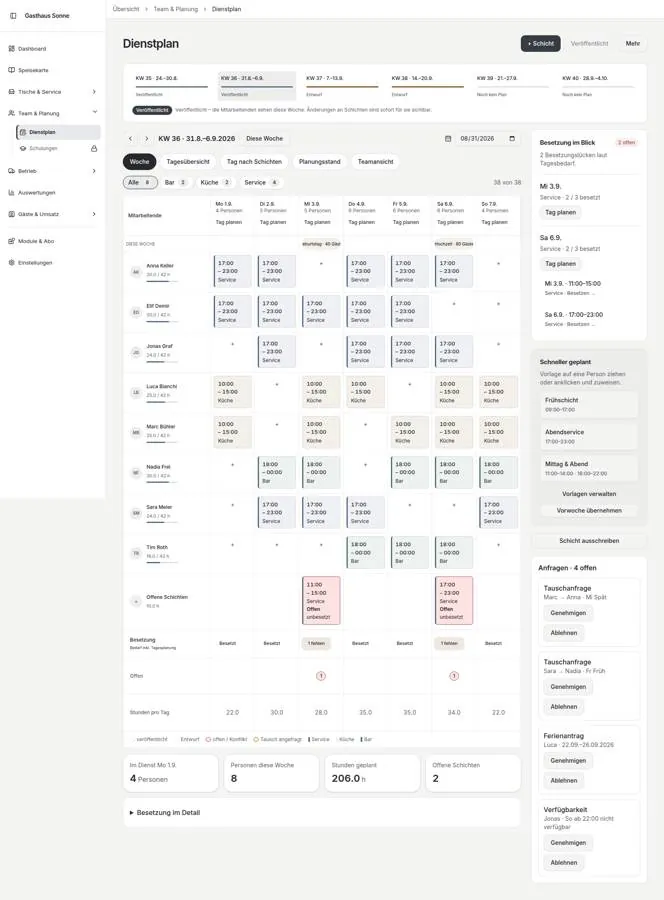
    Shifts, attendance, leave and swaps

    CHF 50.00 per month per location

    See the details

  • Product interface in German (Switzerland) — the product's screens do not exist in English yet.

    Training

    Learn, and show what you know

    CHF 50.00 per month per location

    See the details

  • Product interface in German (Switzerland) — the product's screens do not exist in English yet.

    Gamification

    Make contributions visible, and reward them

    CHF 50.00 per month per location

    See the details

  • Product interface in German (Switzerland) — the product's screens do not exist in English yet.

    Quality

    Check, evidence, follow up

    CHF 50.00 per month per location

    See the details

  • Product interface in German (Switzerland) — the product's screens do not exist in English yet.

    CRM and loyalty

    Reward the return visit, with consent

    CHF 50.00 per month per location

    See the details

  • Product interface in German (Switzerland) — the product's screens do not exist in English yet.

    Finance+

    Expenses, business invoices and tip distribution

    CHF 50.00 per month per location

    See the details

  • Product interface in German (Switzerland) — the product's screens do not exist in English yet.

    Analytics+

    See the patterns, schedule the reports

    CHF 50.00 per month per location

    See the details

  • Product interface in German (Switzerland) — the product's screens do not exist in English yet.

    Purchasing+

    Suppliers, purchase orders, receiving

    CHF 50.00 per month per location

    See the details

  • Product interface in German (Switzerland) — the product's screens do not exist in English yet.

    AI assistant

    Scan the menu, ask questions of your own data

    CHF 50.00 per month per location

    See the details

  • Product interface in German (Switzerland) — the product's screens do not exist in English yet.

    Multi-location

    One organization, several restaurants

    Chain only. Multi-location is what Chain is, not a module you add.

    See the details

  • Product interface in German (Switzerland) — the product's screens do not exist in English yet.

    Batches and expiry

    Batches, lot numbers and expiry tracking

    CHF 50.00 per month per location

    See the details

Pricing in CHF

What it costs, without small print

Three plans, the same core, modules added separately. The figures below are the currently accepted reference prices.

VAT treatment: to be confirmed.

Annual invoice
Choose modules

Chain only. Multi-location is what Chain is, not a module you add.

Monthly totalCHF 250.00

Annual invoice totalCHF 2,550.00

monthly equivalent: CHF 212.50

Voice ordering is included in every plan and appears in no total.

This total is an estimate from the reference prices above, not an offer.

Metered usage is billed separately and is in no total here.

Minimum term, cancellation, trial and onboarding fees are not decided yet. As soon as they are, they will be here.

VAT treatment: to be confirmed.

Included in the core

What every restaurant gets without a module

Eight groups cover the day: guest menu, table service, kitchen, payment, menu and stock, team, owner overview and the connected apps. One system, one sign-in, one price.

  • Guest menu and ordering: overview on the guest's phone

    Guest menu and ordering

    The menu on the guest's own phone, with allergens and order status

    The guest scans the table QR, reads the current menu with allergen and dietary information, picks modifiers, and then follows the status of the order. Nothing is ordered until a member of staff has verified the phone at the table.

  • Table service: overview on the floor device

    Table service

    One table, one view — guests, requests and the order

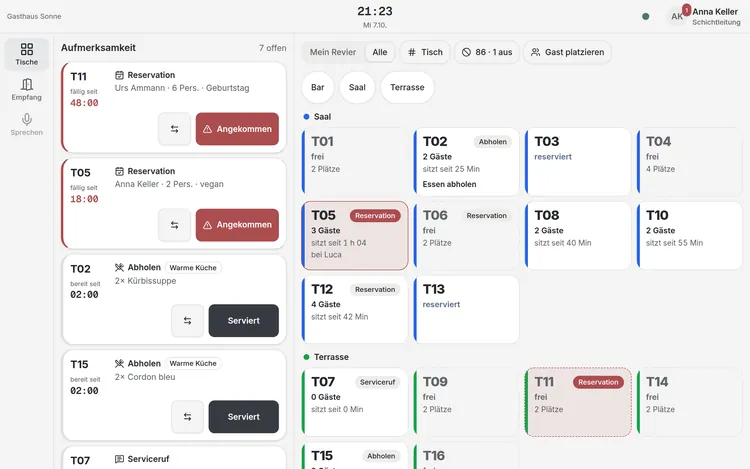
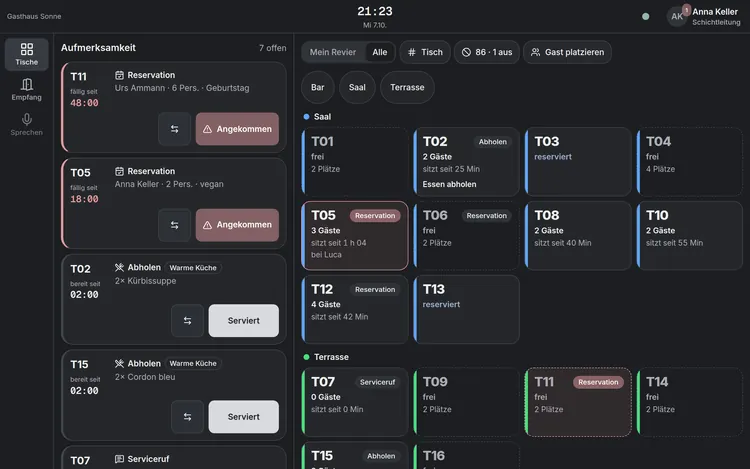
    Staff see the floor plan, verify a guest phone in one tap, take service requests and enter orders with seat and course.

  • Kitchen workflow: overview on the kitchen screen

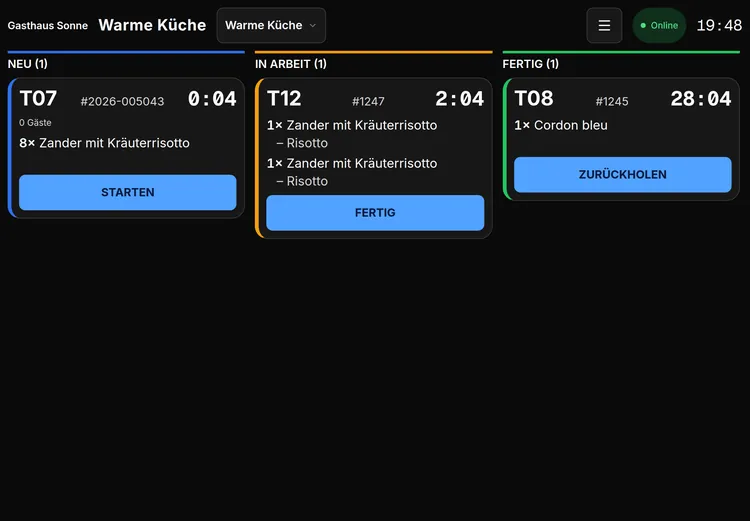
    Kitchen workflow

    Every station sees its tickets — and sold out means sold out at once

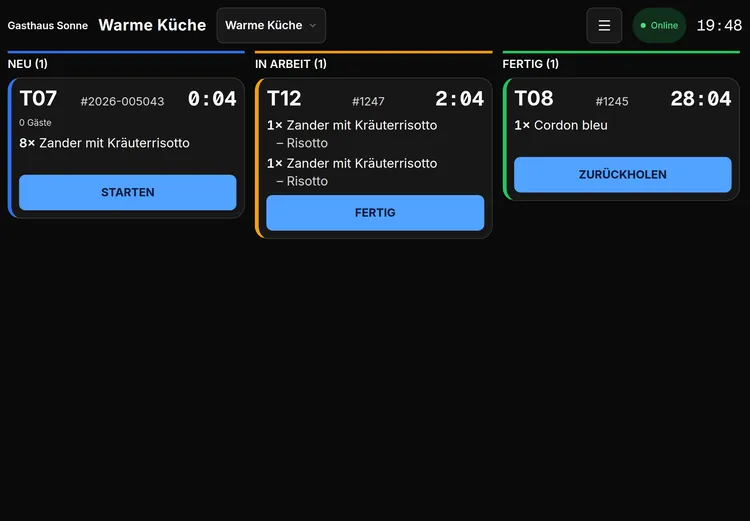
    The kitchen sees tickets by station, changes line status, fires and holds courses, and marks a dish sold out in one step — visible on every guest menu immediately.

  • Payments and bills: overview on the guest's phone

    Payments and bills

    Pay yourself, split, get the receipt

    The bill belongs to the table visit, not to a phone: VAT per rate, five-Rappen rounding for cash, and every split sums to the total. The receipt is digital.

  • Menu and basic inventory: overview on the management console

    Menu and basic inventory

    One menu, one version, the same everywhere

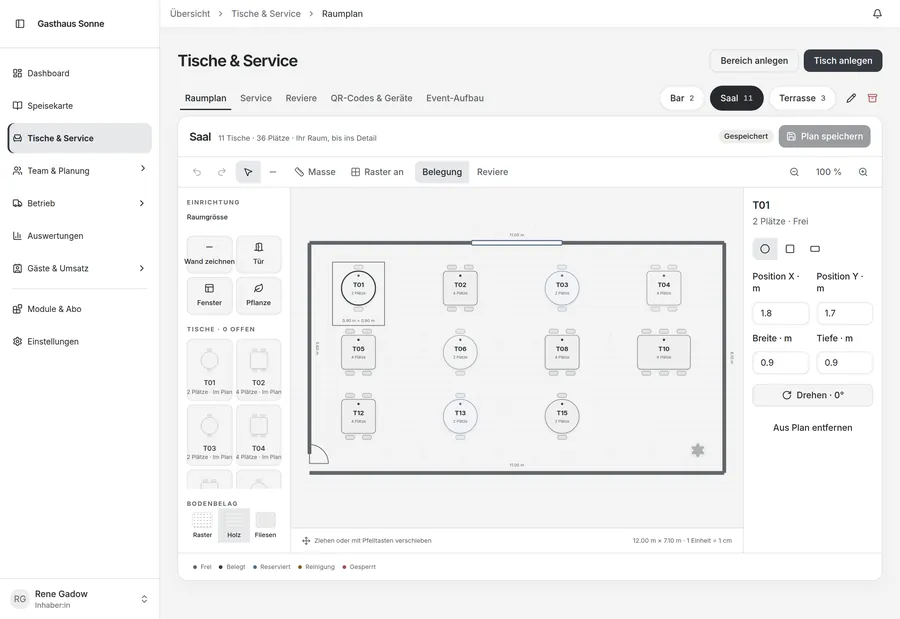
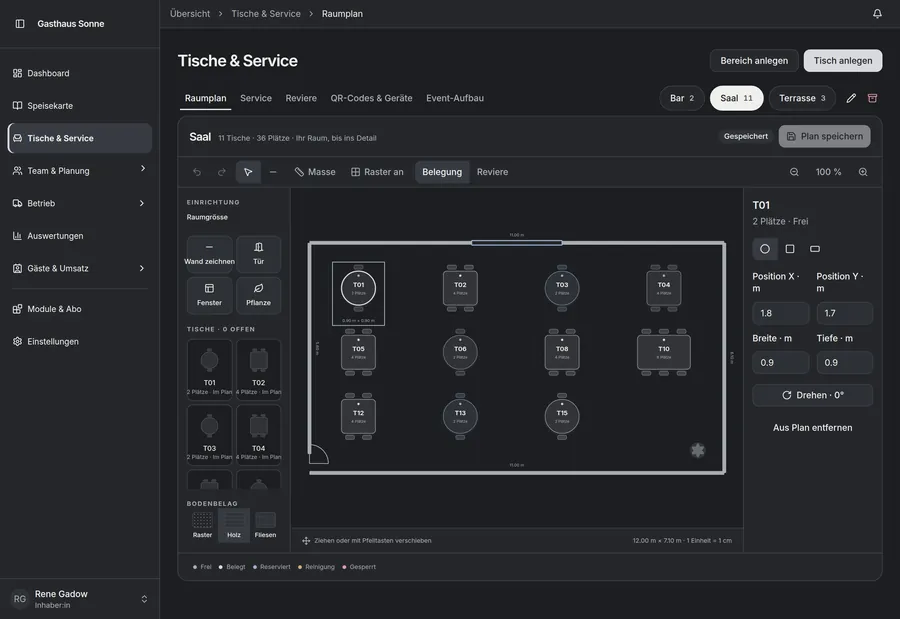
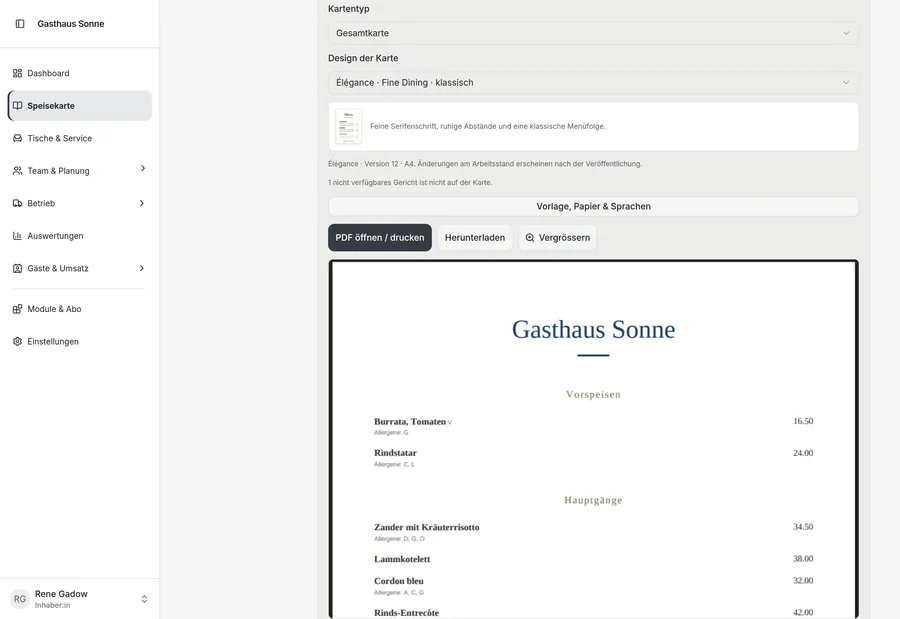
    Maintain dishes, prices, VAT rates and recipes in one place and publish a version. Stock and availability hang off it; suppliers and purchase orders are Purchasing+.

  • Team access and daily tasks: overview on the management console

    Team access and daily tasks

    Who may do what — per restaurant, not per password

    Staff, roles and permissions per restaurant, paired house devices with their own session, and the everyday checklist work. Rota and attendance are Scheduling.

  • Owner essentials: overview on the management console

    Owner essentials

    The business as it runs, not the month-end close

    Setup, live orders, the day's activity and control over who may do what — with an audit log. Detailed reports and scheduled exports are Analytics+.

  • Connected restaurant: overview on the floor device

    Connected restaurant

    Four roles, one order, no lost docket

    A web app per role, in its own language. The same order appears for guest, service and kitchen; when the network drops it is held locally and sent exactly once on reconnect.

  • Voice ordering

    Included in the base package — no surcharge, no module

    The guest presses record and speaks. What was understood appears as an editable card with quantity and modifier; anything uncertain produces exactly one short question. Nothing is ordered until the guest confirms. The microphone is live only while recording.

Detailed comparison
Included in the coreSearch a capability
Guest menu and orderingMenü mit Allergen- und Diätangaben
Guest menu and orderingModifikatoren und Mengen
Guest menu and orderingWarenkorb und Bestellstatus
Table serviceTischplan und Besuche
Table serviceGasttelefone bestätigen
Table serviceServiceanfragen
Table serviceBestellerfassung mit Sitz und Gang
Kitchen workflowKüchentickets nach Station
Kitchen workflowGang feuern, halten und servieren
Kitchen workflowAusverkauft und Vorbereitungslimit
Payments and billsRechnung pro Besuch
Payments and billsZahlung über den Anbieter-Port
Payments and billsBeleg
Payments and billsTrinkgeld
Payments and billsAufteilen nach Position oder Sitz
Menu and basic inventoryKarte pflegen und veröffentlichen
Menu and basic inventoryPreise und MWST-Sätze
Menu and basic inventoryRezepte
Menu and basic inventoryBestand und Verfügbarkeit
Team access and daily tasksMitarbeitende und Rollen
Team access and daily tasksBerechtigungen pro Restaurant
Team access and daily tasksGeräte
Team access and daily tasksAufgaben im Alltag
Owner essentialsEinrichtung
Owner essentialsLaufende Bestellungen
Owner essentialsTagesgeschäft auf einen Blick
Owner essentialsZugriffs- und Audit-Kontrolle
Connected restaurantRollenspezifische Web-Apps
Connected restaurantSprachwahl
Connected restaurantLive-Aktualisierung über Topics
Connected restaurantOffline-Warteschlange mit Wiederholung
Voice orderingAufnahme auf Knopfdruck
Voice orderingMenügestützte Erkennung
Voice orderingGenau eine Rückfrage
Voice orderingBearbeitbare Bestellkarten
Voice orderingAbschliessende Bestätigung

Created here

Created in Switzerland. For Switzerland.


Four languages, francs, Swiss number and date conventions and five-Rappen rounding on cash. What else stays in Switzerland — hosting, speech services, support — we will say once we can show it.

The kitchen team at the pass, just before service.

Before launch

The questions that come first

Short answers. Where something is undecided, it says so, instead of a sentence that sounds like an answer.

  • What is in the core and what costs extra?

    Guest menu, table service, kitchen, menu and basic stock, team and access, the owner overview and the payment and receipt path are core. The twelve modules are added separately. Voice ordering is part of the core and costs nothing extra.

  • Which devices do we need?

    Every surface runs in a browser: the guest's phone, a phone or tablet on the floor, a screen at the kitchen line and an ordinary computer in the office.

  • Does the guest have to order by voice?

    No. Speaking is an additional path. The same order can be tapped, and anyone who would rather ask a person asks a person.

  • Which languages is it in?

    This site is in German, French, Italian and English. The product surfaces speak German (CH, DE, AT), French and English; Italian in the product is not ready yet.

  • How are the prices worked out?

    One plan per restaurant, modules at CHF 50 per month per location. Pro includes two chosen modules, Chain bills per location. Metered usage is added separately.

  • What about paying annually?

    The annual invoice is twelve months less fifteen per cent, rounded to five Rappen. You always see both figures: the annual invoice and its monthly equivalent.

  • When does it start?

    There is no launch date yet — we will name it once there is one, rather than inventing one now.

  • What happens to our data?

    Every restaurant is isolated from every other. What you enter on this site is kept for up to twenty-four months or until you unsubscribe; every message carries an unsubscribe link.

  • How do we get a demonstration?

    Through the same form at the foot of the page: pick “demonstration” as the intent. You get a confirmation by e-mail and we come back to you.

Invitation

We will write when it is ready

Leave your e-mail address and we will write at launch. If you would like to see the product before that, say so in the same form.

Join the launch list

What you are asking for